Features
Every feature. All free.
The app has two modes. Basic covers results, your own racing and your garage. Advanced adds the deeper analysis. Both are free, and you can switch at any time with the button at the top of the app. Switching never deletes anything.
| Feature | BasicFree | AdvancedFree |
|---|---|---|
| Results | ||
| Live venues, meetings, heat lists and championship tables | check | check |
| Race results with lap chart and lap times | check | check |
| Consistency score on every race result | check | check |
| AI race summaries and report cards | check | check |
| Search, track map and entry lists | check | check |
| Lap Spread, Lap Trend and Predicted columns | Not included | check |
| Your racing | ||
| My Results and Driver Report Card | check | check |
| Public driver profile, personal bests and achievements | check | check |
| Head-to-Head leaderboard and Nemesis | check | check |
| Driver Category tier and scale | check | check |
| Family accounts and push notifications | check | check |
| Head-to-Head race-by-race breakdown | Not included | check |
| Driver consistency and spread analysis | Not included | check |
| Garage and setup | ||
| My cars and setup sheets, with versions, PDF and sharing | check | check |
| Community setup sheets | check | check |
| Gearing calculator | check | check |
| Reminders and ideas, with push at the time you set | check | check |
| Notes after each run: handling score and ideas tried | check | check |
| Run notes balance grid | Not included | check |
| Setup Sheet Analytics | Not included | check |
| Suspension Geometry | Not included | check |
| Practice | ||
| Lap Timer | check | check |
| Saved practice sessions | check | check |
| Import laps from LapMonitor | check | check |
| Practice trends, spread and compare | Not included | check |
| Analysis | ||
| Driver Performance overview | check | check |
| Lap time trends, venue analysis and race history | Not included | check |
| Compare Drivers | Not included | check |
| Race Data Studio | Not included | check |
| Race Playback Studio and Track Builder | Not included | check |
A closer look
The big ones
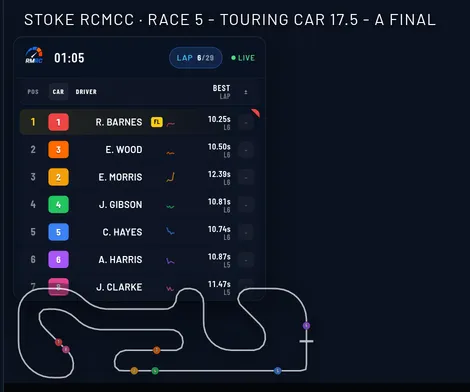
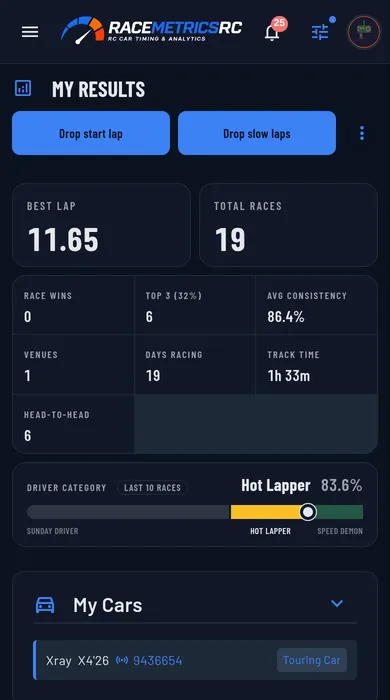
Results that find you
BasicWe read results from LiveRC, MyRCM, RC Timing, BBK RC Live and RC Clubs as they are published. Link your transponder once and every race you run lands on your profile without you lifting a finger.
- Thousands of venues and every race they publish, already in
- A push when your venue goes live and when your results land
- Add your kids under Family and their racing sits next to yours
Head-to-Head
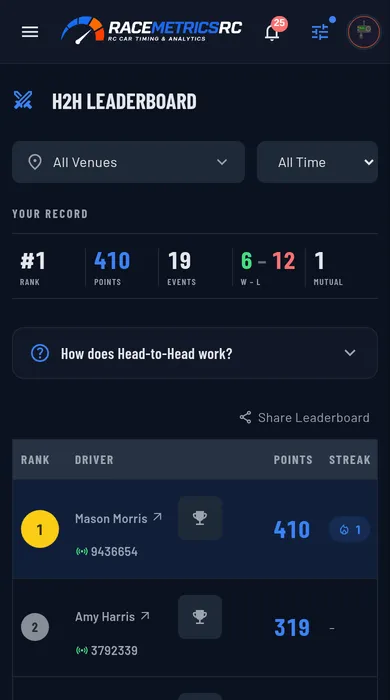
BasicA rivalry game that runs alongside every meeting. Pick one driver before the deadline, race the meeting as normal, and the points land the morning after.
- 30 points if you beat your rival, 10 if they beat you
- Pick each other and it becomes a mutual rivalry: 100 for the win, 50 for the loss
- Bonus points for beating someone quicker than you
Setup sheets that prove a change worked
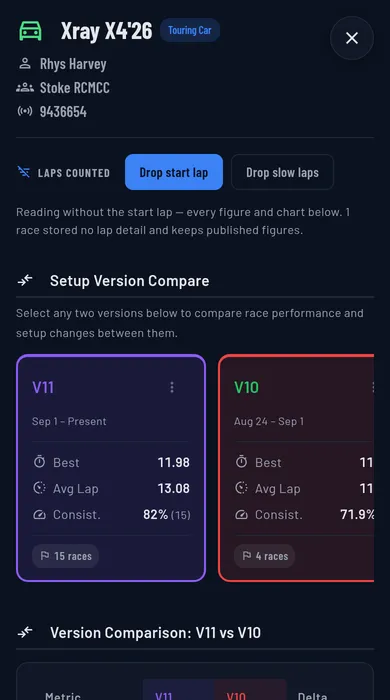
Basic + AdvancedGearing, suspension, tyres, geometry and electronics, saved as versions so you can always roll back. Share a sheet with a link, export it as a PDF, or browse what quick drivers at your track are running.
- Every save is a version you can restore
- Setup Sheet Analytics marks each change as Improved, Declined or Neutral
- Lap spread by version shows if a change made the car steadier or just lucky once
Reminders and ideas
BasicA notebook for the car. Write down the setup ideas you want to try, and set reminders for the jobs you forget on race morning. Reminders land on your phone at the time you choose.
- Ideas and reminders go in as one line: type it and tap Add
- Quick picks for when: In 1 hour, Tonight 7pm, Tomorrow 8am, Saturday 8am, or pick any time; +1 hr to snooze
- Mark an idea Better, No change or Worse once you have tried it, and keep the result in a logbook
- Tick ideas off straight from your notes after a race or practice run, and the logbook says which run it was
Notes after every run
Basic + AdvancedWrite down how the car felt while it is still fresh. Every race in My Results and every practice run has an Add notes button, and the notes keep your setup sheet and your ideas in the same place.
- Score the handling out of ten, from undriveable to dialled in, and add a few words
- Your untried ideas are listed. Mark each one Better, No change or Worse and it is ticked off
- See what changed on the setup sheet since your last run, including values edited on the current sheet without saving a new version
- Advanced: a balance grid for low and high speed, entry, mid and exit, from front-limited and pushy to rear-limited and loose
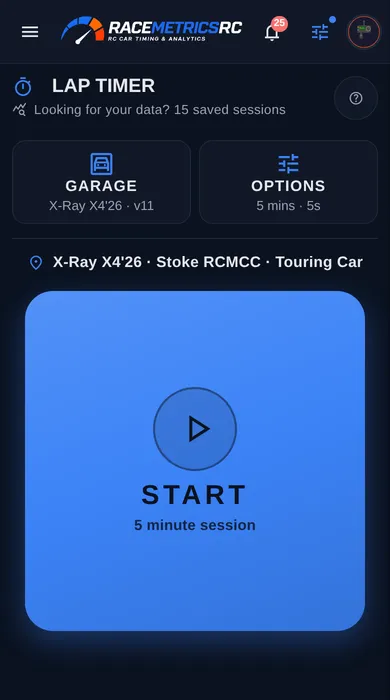
A lap timer for when there is no loop
BasicSolo practice, open days and tracks without transponder timing produce no data at all. The Lap Timer fills the gap. Prop the phone on the rostrum and log a lap however suits you.
- Tap the screen, click your tongue, knock the table or press a Bluetooth remote
- When the clock runs out you finish the lap you are on, like a real race
- Works signed out; sign in to save sessions and see trends
Import from LapMonitor
BasicAlready time practice with a LapMonitor transponder? Bring those sessions into the same history as the rest of your practice. Export a CSV or JSON file from the LapMonitor app, then tap Import laps on Practice.
- Each run keeps the date and time it was driven, taken from the file
- The same Garage as the Lap Timer: car, club, where you ran, and the setup sheet on the car that day
- Import the same session twice, or as CSV and then JSON, and it is only saved once
- Imported runs get trends, compare, the report card and notes, like any other practice run
Race Data Studio
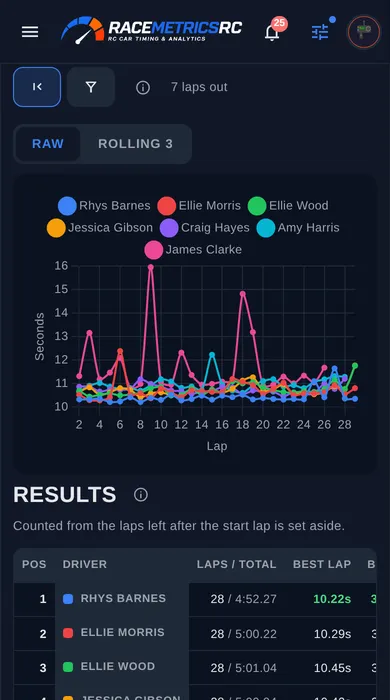
AdvancedDrop runs from any race or practice session into one basket and chart them together. Find out if you were quicker on Sunday than Saturday, or where in the race the driver ahead pulled away.
- Up to 16 runs at once, races and practice mixed
- Lap, delta, cumulative gap, rolling average and spread views
- Download the summary as a CSV
Race Playback Studio and Track Builder
AdvancedA broadcast-style overlay for your race videos and streams. Replay any finished race lap by lap, or stream live positions from a meeting in progress into OBS or vMix.
- Grid lineup before the start, leaderboard during, results at the flag
- Draw your club layout and watch the cars run round it on screen
- Glass, Broadcast and Classic looks, with your own colours